Method 2
Permanent activation Office 2010, 2013, 2016, 2019, 2021, 2024, 365
It works if Office is installed on Windows Vista (minimum SP1), / 7 / 8 / 8.1 / 10 / 11.
Doesn't work on Windows XP.
For the activator to work on Vista you need to install PowerShell 2.0 for download here . On Windows 7 and newer ones work immediately.
If the antivirus removes the activator MAS_AIO.cmd or does not allow you to turn it on, disable the antivirus for the time of activation.
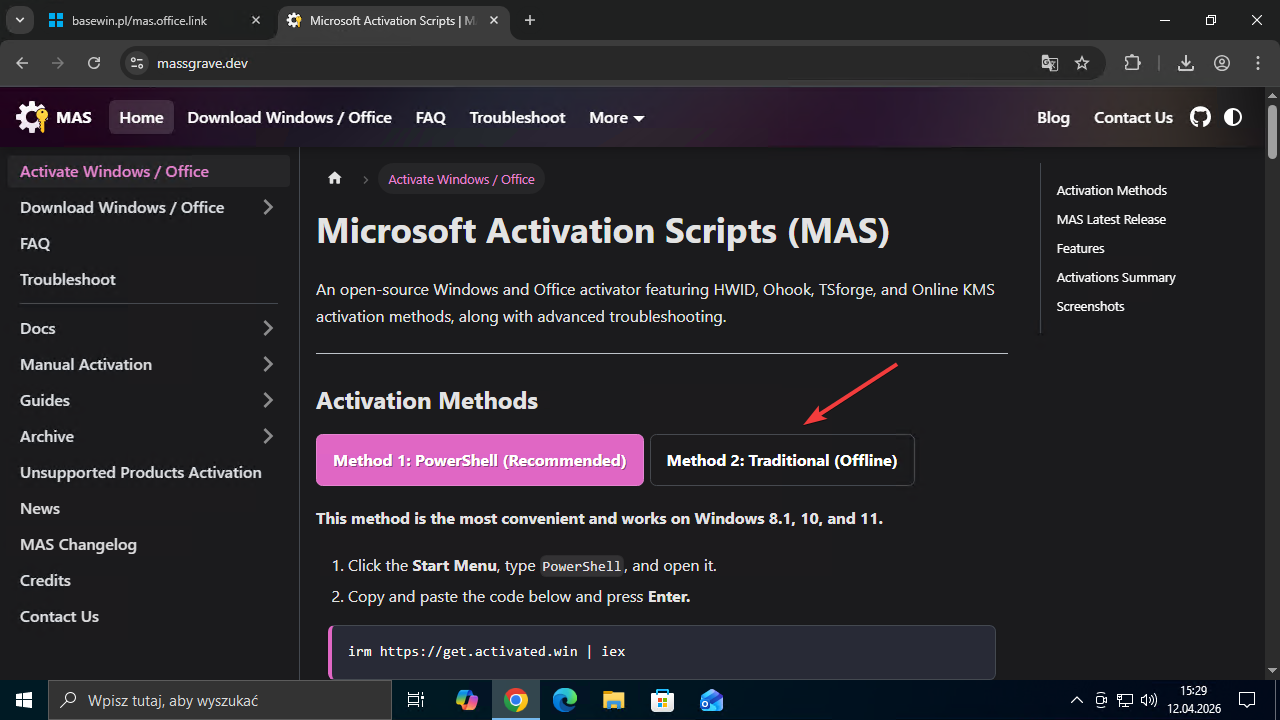
Go to the page massgrave.dev and click Method 2: Traditional (Offline):
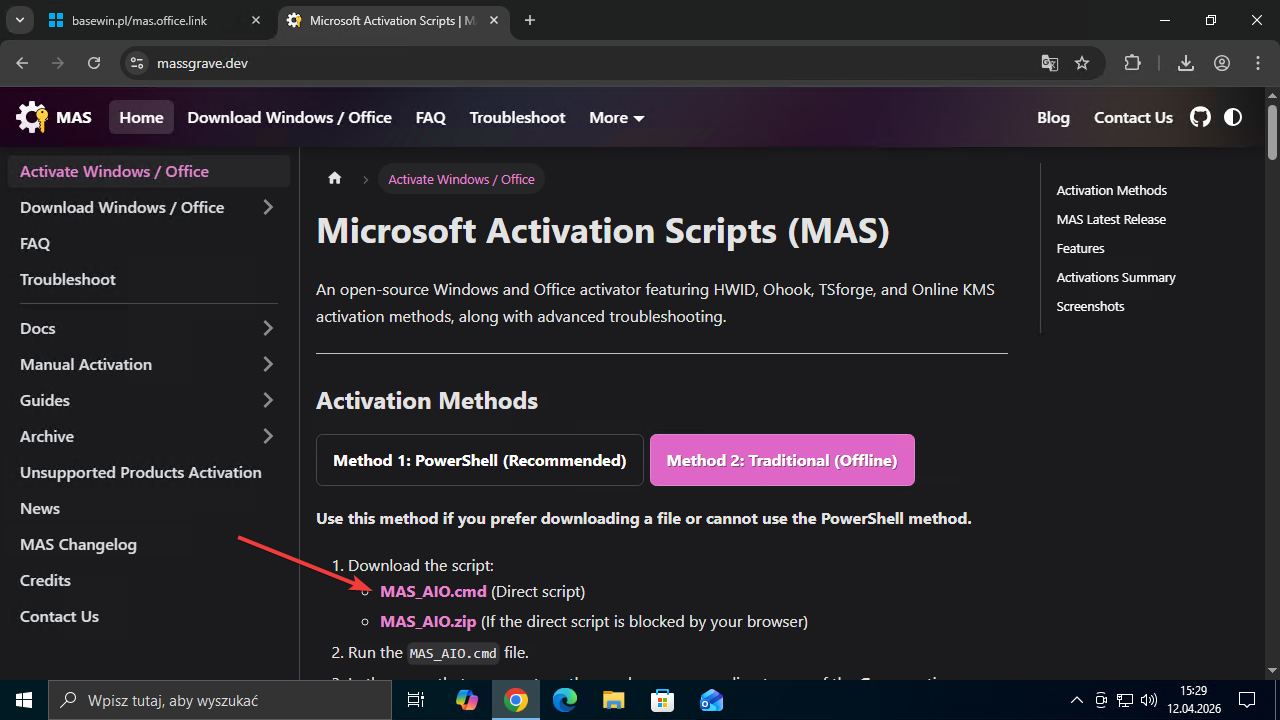
Click MAS_AIO.cmd to download the activator:
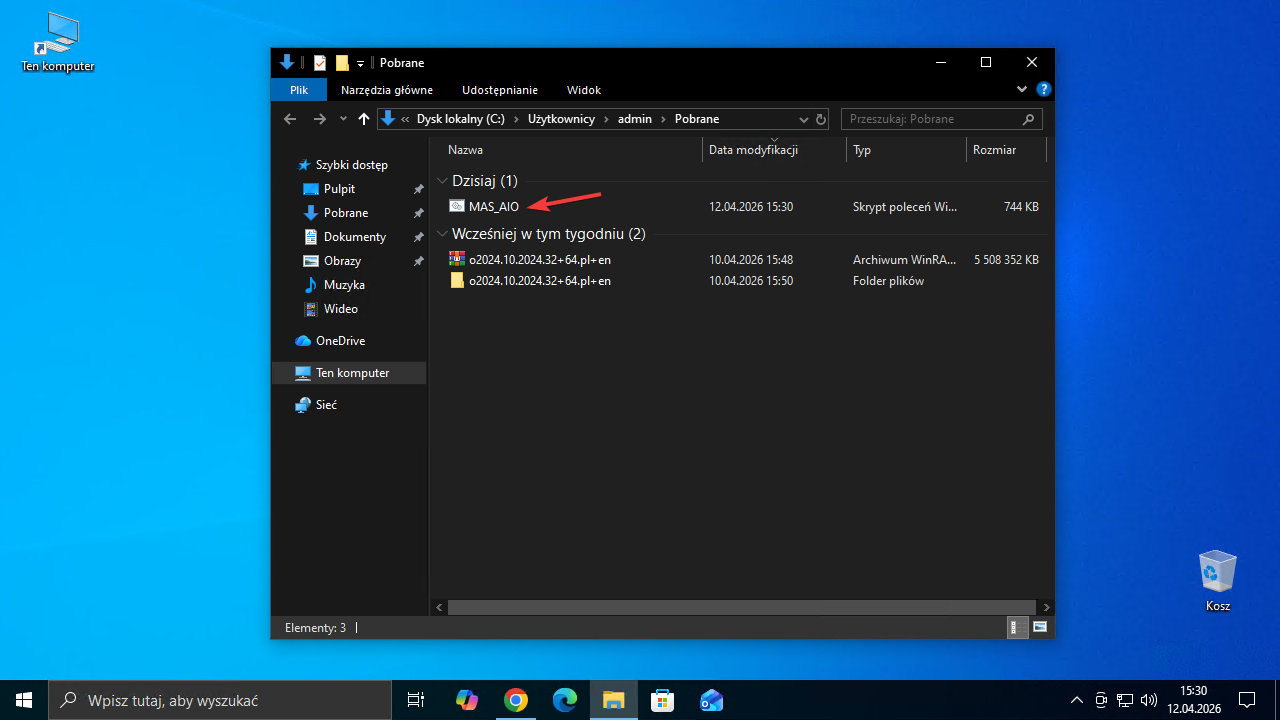
Run the activator:
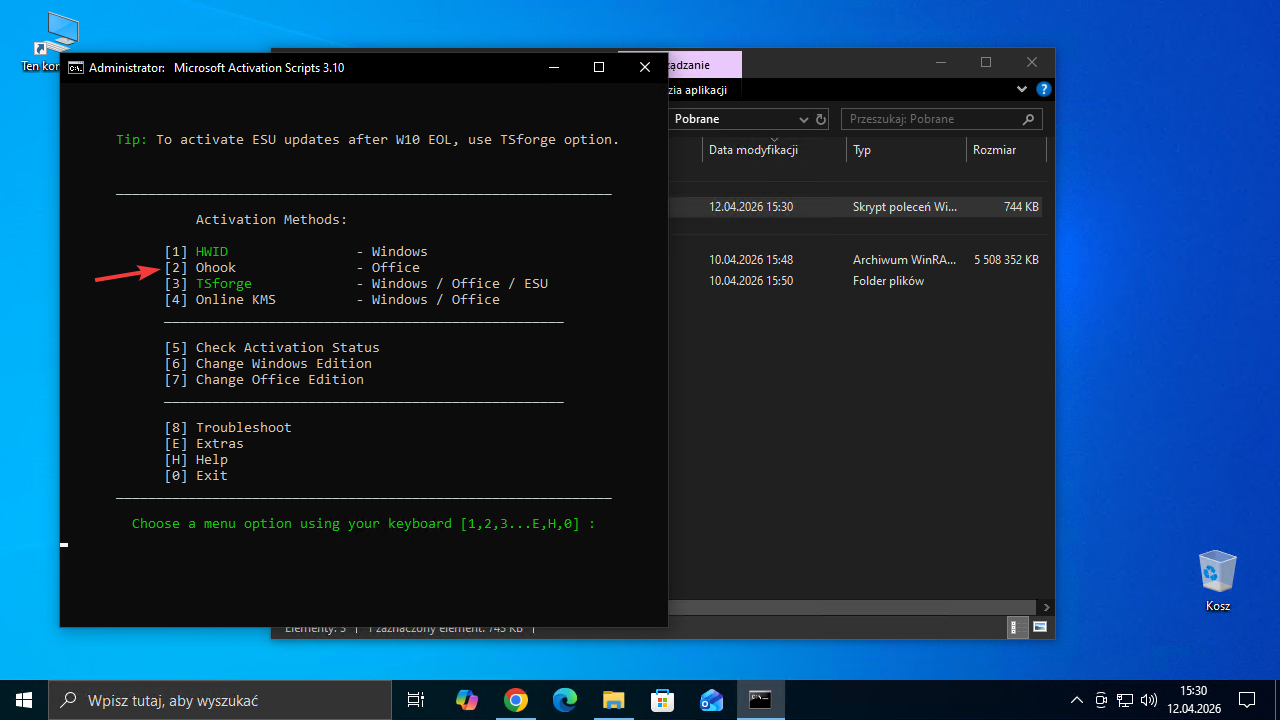
Click 2 on your keyboard to select [2] Ohook:
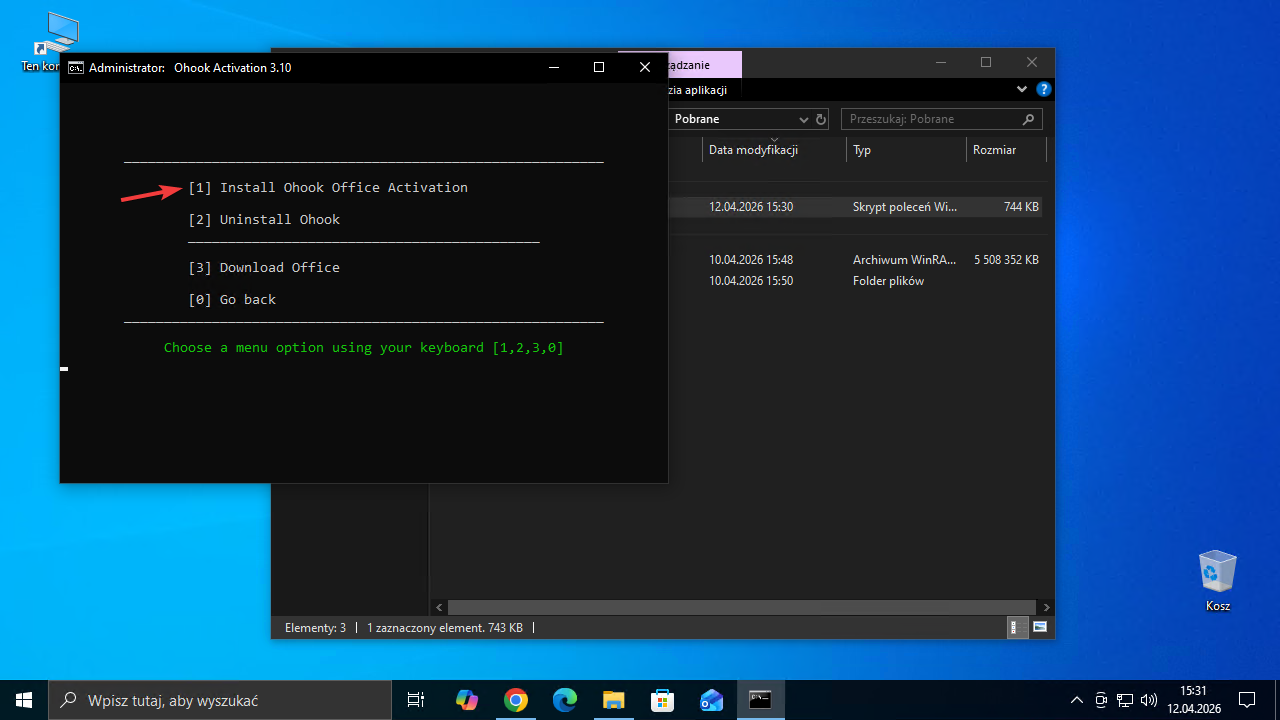
Click 1 on your keyboard to select [1] Install Ohook Office Activation:
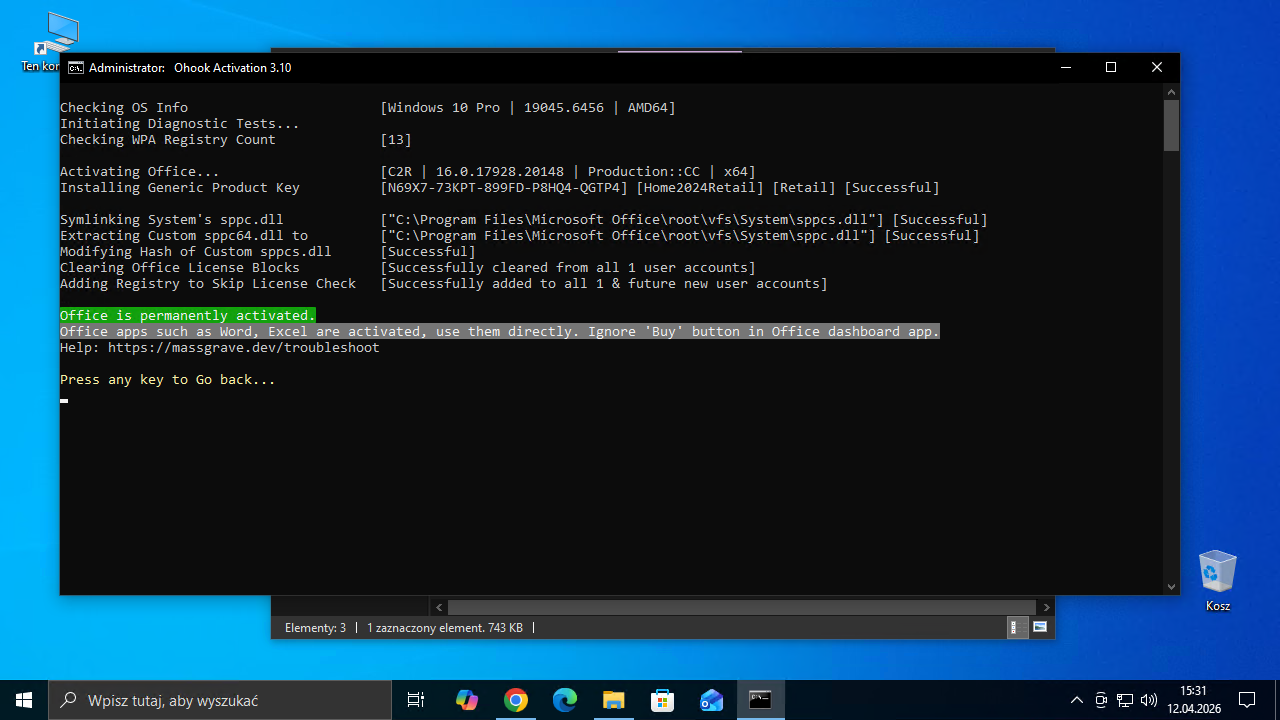
Once activation is complete it will say Press any key to Go back…
CHECK ACTIVATION STATUS:
Office 2019, 2021, 2024, 365 - launch e.g. Word and click Account in the lower left corner
Office 2013, 2016 - launch e.g. Word > Blank document > File (top left corner) > Account (bottom left corner)
Office 2010 - launch e.g. Word > File (upper left corner) > Help (lower left corner)