WinSetupFromUSB - with this program we can flash Windows XP on a pendrive. However, it's not as easy as in newer Windows, so:
WinSetupFromUSB-1-9.rar < click here to download
1. Extract the image Windows XP to a folder e.g. with WinRAR or 7-Zip.
2. Run the program and select the flash drive.
3. Select: Auto format it with FBinst and select NTFS

4. Select the white square next to "Windows 2000/XP/2003 Setup", specify the folder with the extracted image and accept the license terms.

5. Click GO and click yes twice to confirm formatting and repartitioning the pendrive.
* For larger pendrives, after clicking GO you also need to click yes because the program detects a large medium and asks if it is really the one.
6. Wait for the system to flash:
READY
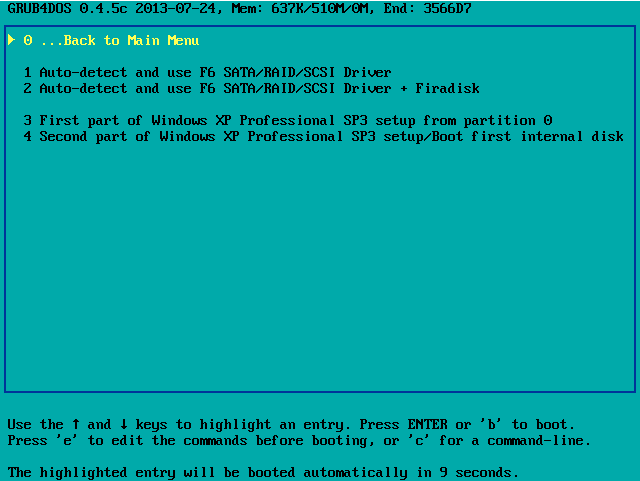
After booting the installer, select 0. Windows XP/2000/2003 Setup and then "First part of ..."
* If in the next steps of the installation there will be a similar choice, select "Second part of ..."